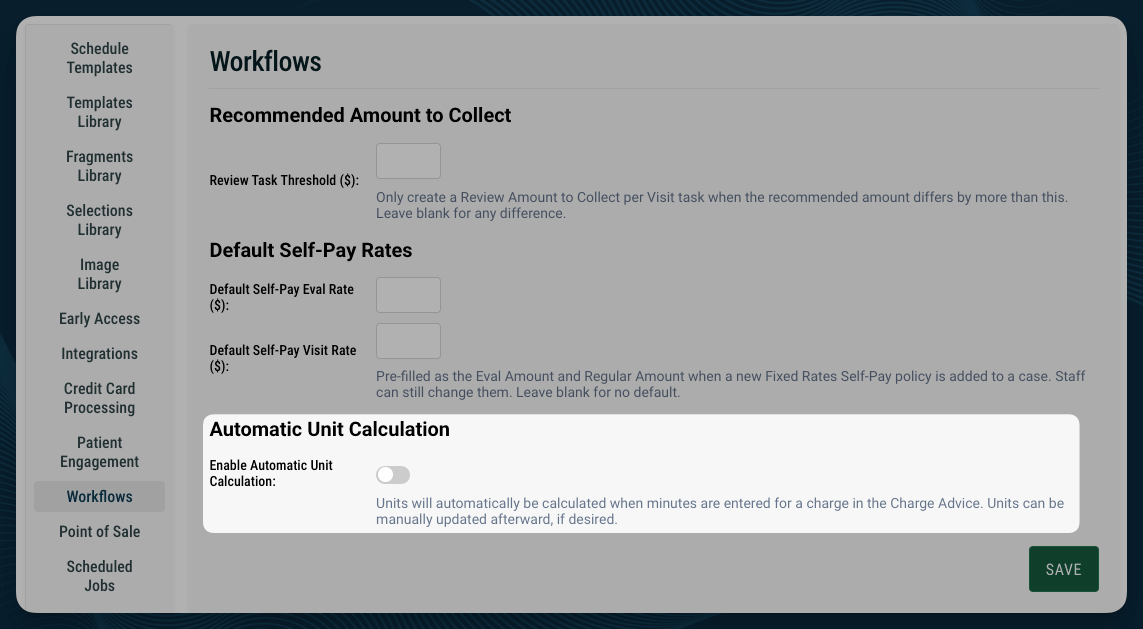
Access: Your organization turns this feature on in Settings. After it is on, every clinician who completes Charge Advice sees the automatic unit changes.
How Automatic Unit Calculation Works
StrataEMR updates units when all of the following are true:- Automatic Unit Calculation is on for your organization.
- A minute rule is set for the patient’s payer.
- You enter or change the minutes on a timed charge line.
Which Minute Rule StrataEMR Applies
StrataEMR follows the minute rule set for each payer. StrataPT configures this setting. See Timed Units and the Procedure Minute Rule for more detail. CMS 8-minute rule StrataEMR calculates units across the whole encounter. It adds up the minutes for all timed lines and splits the resulting units across the lines. AMA minute rule StrataEMR calculates units line by line. Each line uses only its own minutes.How CMS Calculation Splits Units Across Lines
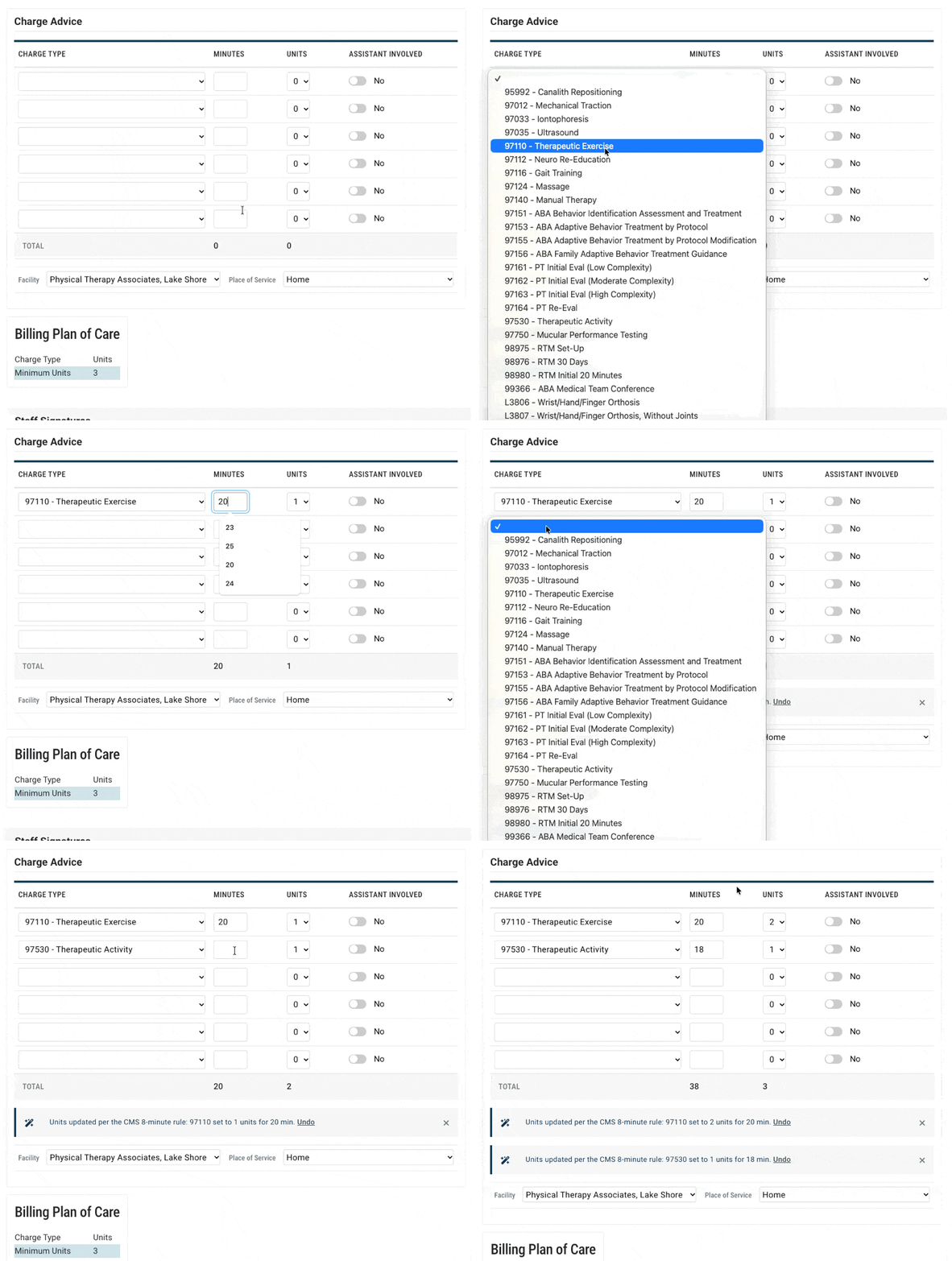
Under the CMS rule, StrataEMR gives each line one unit for every whole 15-minute block of its minutes. It then assigns any remaining units to the lines with the most leftover minutes. For example, you document two timed services in one visit:
The encounter totals 38 minutes, which supports 3 units under the CMS rule. Each line receives 1 unit for its whole block. The third unit goes to 97110 because it has the most leftover minutes. StrataEMR sets 97110 to 2 units and 97530 to 1 unit.
Review and Undo a Change
When StrataEMR changes units, a notice appears below the Charge Advice table. The notice lists every change and follows this pattern:Units updated per the [CMS 8-minute / AMA] minute rule: [Code] set to [Quantity] for [Minutes] min. UndoSelect Undo to restore the previous units for that code. If you change units yourself, StrataEMR keeps your selection. It updates that line again only when you change its minutes.
Note: Automatic Unit Calculation is a helper, not a replacement for your clinical judgment. Review the units on every charge line before you complete the note.
How It Works With Charge Advice Guidance
Automatic Unit Calculation is the first step in a sequence of safeguards:- StrataEMR sets units from your minutes.
- If you then change units or minutes so they no longer match the payer’s rule, charge advice guidance explains what is needed and why.
- If the charge is still out of range when you save, StrataEMR shows an error.
Note: Inline charge advice guidance is rolling out separately from Automatic Unit Calculation. Until it is available in your account, you see minute-rule errors when you save the note.
Turn On Automatic Unit Calculation
Practice admins can turn this feature on without contacting support. Navigate to Workflows: Menu Bar > Settings > Workflows- Find the automatic unit calculation setting.
- Toggle it on.
- Save your changes.