

Authorization tracking is one of the highest-stakes administrative workflows in a PT practice — an expired or untracked authorization means denied claims and interrupted treatment. StrataEMR manages this proactively: once authorization details are entered on a patient’s policy, the system monitors visit usage against the approved limit and surfaces alerts through the task system before the authorization runs out, giving your team time to act before a claim is at risk. Authorization settings cascade from the payer level down to individual policies — payer-level changes apply to all new policies created under that payer going forward.Documentation Index
Fetch the complete documentation index at: https://docs.stratapt.com/llms.txt
Use this file to discover all available pages before exploring further.
Access: All staff can view authorization details. Entering and editing authorization information is available to all staff with access to the patient’s Policies page.
Accessing the Authorization Section
Navigate to a patient’s case: Patient Menu Bar > Patient Info > Policies. If the Authorization Required setting on the policy’s Benefits screen is set to Yes, an Authorization button appears next to the Benefits button on the Policies page. If the Authorization button is not visible, Authorization Required is set to No on that policy’s benefits. Click Authorization to open the authorization entry screen.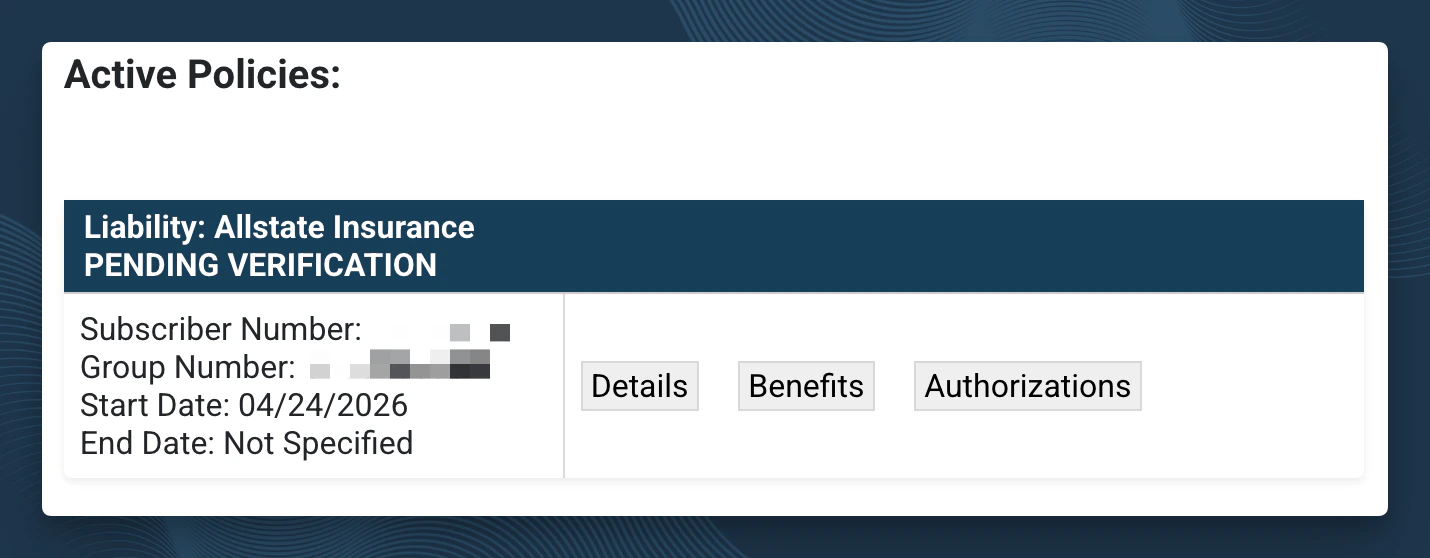
Entering Authorization Details
When authorization is obtained from the insurance, enter the following:- Authorization number — The confirmation number provided by the payer
- Start date / End date — The date range the authorization covers
- Type — Visits or units (depending on how the authorization was issued)
- Limit — The number of visits or units approved
Stub Authorizations
A stub authorization is an automatic placeholder entered by the system when a policy requires authorization after a specified number of visits — for example, “authorization required prior to visit 6.” In this scenario, the first 5 visits can proceed without an authorization on file. A stub authorization is entered by StrataEMR to track those initial visits and alert your team as you approach the trigger point.Entering Authorizations for Patients Mid-Treatment at Go-Live
If your practice is transitioning to StrataEMR and patients are already mid-authorization from your previous system, you’ll need to account for visits that were already used before StrataEMR began tracking. Do not enter the full original authorized visit count. Instead, enter only the remaining visits so StrataEMR tracks correctly from your go-live date forward. How to calculate the adjusted limit: If a patient had 15 visits authorized and 10 were completed in your previous system before going live in StrataEMR, enter a limit of 5 — the visits remaining at the time of entry. Use the Notes field to document the adjustment so your team understands the context. For example:10 visits completed prior to StrataEMR. Authorization limit adjusted to reflect remaining visits.
Retro Authorizations
A retro authorization is needed when a claim is denied because authorization was not obtained before treatment. When this occurs you may see a task generated to alert you. The process:- Go to the patient’s Policies page and check the Authorization section
- If no authorization exists, submit a retro authorization request to the payer
- Document the action taken and expected timeline in the task notes
- Defer the related task 3–5 business days while awaiting payer response
- If the retro authorization is denied, escalate for write-off review